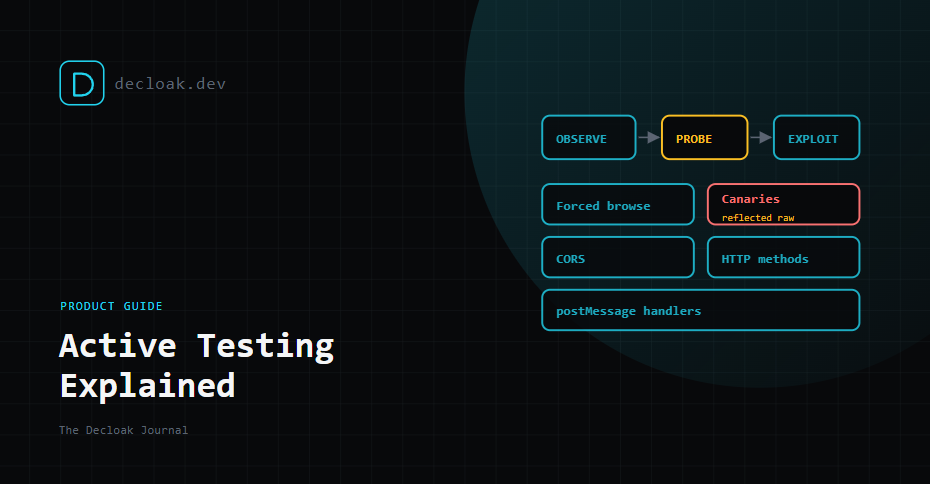
Active Testing Explained: What Decloak's DAST Layer Probes, and What It Leaves Alone
A normal Decloak scan is passive. It loads your site the way a visitor's browser would and reports on what it sees: headers, scripts, cookies, third-party domains, disclosed software versions. It never sends anything a normal visitor wouldn't.
That covers a lot, but some problems only show up when you ask the site a question it wasn't expecting. Does that backup file exist if you request it directly? Does this search box echo back whatever you type, unescaped? Will the API hand data to any website that asks? Active Testing is the layer that asks.
This guide explains what it does, how it stays safe, how it differs from AI Pentesting, and what it can't tell you.
DAST in one line
DAST stands for dynamic application security testing: testing a running application from the outside by sending it requests and studying the responses. It needs no access to your source code, which is also how Decloak works generally.
Three layers, three verbs
Decloak has three levels of looking at a site. The difference between them is what they're allowed to do.
| Layer | What it does | Example | Plan |
|---|---|---|---|
| Passive scan (8 core layers) | Observes | Notices a missing Content-Security-Policy header | All plans |
| Active Testing (DAST) | Probes, safely | Requests /backup.zip to see whether it exists | Enterprise |
| AI Pentesting | Attempts to exploit, in a sandbox | Runs sqlmap against a parameter flagged as injectable | Enterprise, separate opt-in |
Active Testing sits in the middle. It sends requests a normal visitor wouldn't, but none of them are designed to break, change or extract anything. It detects and flags. Confirming that something can actually be exploited is AI Pentesting's job, and we cover that in our AI Pentesting guide.
What Active Testing probes
Forced browsing
Forced browsing means requesting URLs that nothing on your site links to, to see whether they exist. Think admin panels, old backups, configuration files and debug pages that were never meant to be public but were never removed either.
A crawler only finds pages that are linked. Forced browsing finds the ones that aren't. Decloak works from built-in path lists, and with Expert Mode you can add your own paths and subdomain wordlist entries. Yours are added to the built-in lists, not used instead of them.
Reflected-input canaries
A canary here is a harmless, unique marker string. Active Testing places one in inputs such as query parameters and checks whether it comes back in the response, and if so, whether it comes back escaped or raw.
Raw reflection is the precondition for reflected cross-site scripting (XSS), where an attacker gets their script to run in your visitors' browsers through a crafted link. The canary itself does nothing. It's the equivalent of shouting into a room to see if there's an echo, without saying anything harmful.
CORS checks
CORS (cross-origin resource sharing) headers tell browsers which other websites may read your responses. Active Testing sends requests that claim to come from an unrelated origin and checks whether your server says yes, especially when it also allows credentials.
If it does, any website a logged-in user visits could read data from your site as them. We wrote a full guide on why Access-Control-Allow-Origin: * is usually a vulnerability.
HTTP method checks
Most pages only need GET and POST. Active Testing checks whether your server accepts other methods it probably shouldn't. In Expert Mode you choose which extra methods to probe, so you stay in control of what is sent.
postMessage handler auditing
postMessage is how a page talks to iframes and pop-up windows from other origins: payment widgets, chat tools, embedded logins. The page that receives a message is supposed to check where it came from. Many don't.
A handler that accepts messages from any origin can let a malicious page send it instructions or data it trusts. This one is invisible to header checks and code-free scanning, because it lives in your JavaScript's runtime behaviour. Active Testing audits the handlers your pages register.
How it stays safe
"Active" makes some people nervous, reasonably. Here is what keeps it non-destructive:
- No destructive payloads. Probes are designed to observe a response, not to change data, delete anything or extract records.
- Consent first. Active Testing has its own consent checkbox. You confirm you are authorised to test the site before it runs.
- Its own throttle. In Expert Mode, Active Testing has a request-rate limit and concurrency separate from the crawler's, plus its own URL exclusion list. Exclude anything you don't want touched.
- You can see what happened. The live scan view shows request counts, the measured throttle rate against your ceiling, retries, and any 429, 403 or connection errors. The final report records what you configured against what actually happened. Active requests do look different from normal traffic. Your WAF may log or block some of them, and that is a useful result in itself. If you'd rather it didn't, allow-list the scan or schedule it for a quiet period.
Testing behind a login
Many of the pages worth probing are behind sign-in. Active Testing can reuse a session captured through the Decloak browser extension: you log in normally, by passkey, password or SSO, and the extension hands the session to the scan. We explained how that works in How Decloak Scans Behind a Passkey Login.
The report states plainly whether Active Testing ran authenticated or unauthenticated, so you never mistake a logged-out result for a logged-in one.
Our advice: use a dedicated test account, or a staging environment, for authenticated testing. Even non-destructive requests run with that account's permissions.
What you get
- An independent Active Testing Score. Active probing is graded separately from your main Security Score, so a clean passive scan and a problem found by probing don't average each other out.
- Findings in the main report, grouped and prioritised like everything else, with remediation steps.
- An Executive DAST report (PDF) covering only Active Testing results: a severity breakdown, a "what we tested" checklist and remediation excerpts. It's built for the people who need the summary rather than the detail.
- Scoreboard tiles showing how many checks ran and how many were flagged or clean, plus which of your domains have Active Testing switched on. Active Testing can also be enabled through the API and the MCP server, so you or your AI agent can include it in automated runs.
What it doesn't do
- It doesn't prove exploitation. A raw canary reflection means XSS is likely, not confirmed. The context it lands in, and any browser or CSP protections, decide whether it is exploitable. That is what AI Pentesting is for.
- Forced browsing only finds what it asks for. A file at a path that isn't on any list, built-in or yours, won't be found.
- It isn't a manual pentest. It won't chain issues together, reason about your business logic or try to abuse a checkout flow. A human tester still does things no automated layer does.
- It tests what it can reach. Without a captured session, anything behind a login is out of scope.
Getting it
Active Testing is part of Decloak Enterprise. Once enabled, it runs as part of the scan, and its results appear alongside everything else.
See what your site says when you ask it the awkward questions. Explore Active Testing →