Expert Mode Is Here: For When "One Fixed Behavior for Every Scan" Isn't Enough
A default scan behavior that works well for most people will, at some point, be exactly wrong for someone who actually knows what they're doing. That's the feedback that shaped this feature directly: pentesting and security professionals using Decloak wanted real control, not just a good default. Expert Mode is that control.
What it is
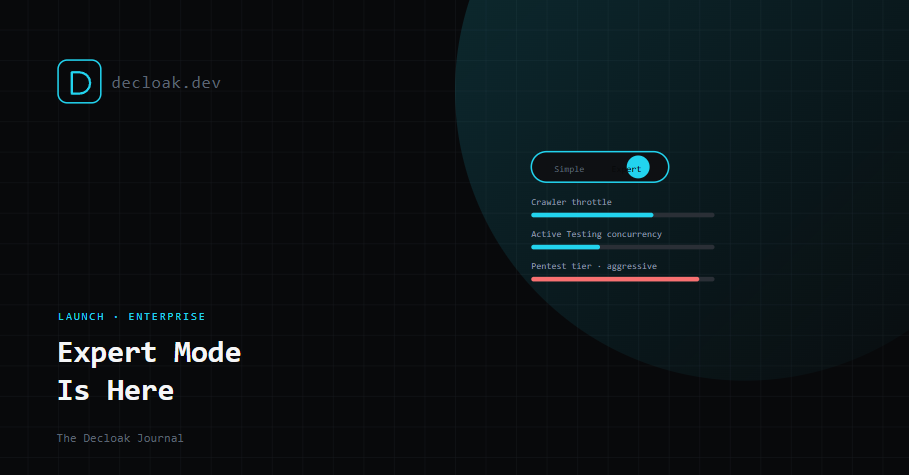
Expert Mode is an Enterprise-only, opt-in switch a team can flip between Simple and Expert. Turning it on unlocks Scan Profiles, named, reusable scan configurations instead of one fixed behavior applied to every scan regardless of context.
What a profile actually controls
Three phases, each independently configurable:
Crawler. Request throttle, concurrency, max crawl depth, page and script caps (these can only narrow your plan's normal ceiling, never exceed it), retry and backoff behavior, custom User-Agent and headers, and URL exclusions, paths that should never be crawled at all, useful for keeping an automated visit away from a live checkout flow, for instance.
Active Testing. Its own independent throttle and concurrency separate from the crawler's, custom headers, whether to reuse the scan's captured login session, which extra HTTP methods to actively probe, per-check enable/disable toggles, extra forced-browsing paths and subdomain wordlist entries (unioned with the built-in lists rather than replacing them), and its own URL exclusions.
AI Pentesting. A profile tier, safe, balanced, aggressive, or custom, per-tool enable/disable across sqlmap, dalfox, ffuf, nuclei, and jwt_tool, retries on an inconclusive result (each retry spins up a new billed sandbox, so this is a real cost decision, not a free toggle), target exclusions, custom wordlists, and session reuse. Aggressive and custom tiers unlock elevated sqlmap risk/level settings and dalfox WAF-bypass techniques, both of which require an explicit liability and authorization confirmation before they can even be saved, not just before they run.
Which profile actually applies to a given scan
This took a few iterations to get right, and it matters enough to spell out precisely: an explicit choice made in the New Scan dialog always wins. If nothing's chosen there, it falls back to that domain's explicit default profile. If the domain has no default, it falls back to the team's default profile.
The detail we were most deliberate about: picking a profile once for a one-off scan no longer silently becomes that domain's permanent default. That has to be a separate, deliberate, checked action, and the dialog tells you upfront, clearly, whether your choice applies to just this scan or becomes the domain's default going forward. A configuration that quietly outlives the scan it was meant for is exactly the kind of surprise Expert Mode exists to prevent, not cause.
Reuse without stepping on someone else's setup
Profiles can be duplicated wholesale from the management list, or forked mid-edit with "Save as copy," so adjusting settings from a specific domain's page never silently overwrites a profile other domains are actively relying on. And deleting a profile that's currently a domain's default is safe by design, it cleanly reverts that domain to the team default rather than leaving it in a broken state, and the delete confirmation tells you upfront exactly which domains would be affected before you confirm.
Proving the profile actually did something
This is the newest piece, and arguably the most important one: every scan now shows real, observed telemetry, not just a readout of the settings you configured.
Live during the scan, separate cards for the crawl and Active Testing phases show actual request counts, the measured throttle rate against your configured ceiling, retries, 429s, 403s, and connection errors, and how many candidate URLs got skipped by an exclusion rule or the depth cap.
On the finished report, a Configured vs. Observed effect pairing makes that same comparison permanent. This includes AI Pentesting's per-tool retry counts, shown as a count rather than a dollar figure since it's cost-relevant information you should have without us presuming to price it for you, and an honest "ran authenticated" or "ran unauthenticated, no session available" line for Active Testing, which asserts what actually happened rather than just echoing back whether you'd checked the box.
A configuration setting that silently didn't take effect is worse than no setting at all, because it looks like it worked. This closes that gap directly.
Availability
Expert Mode and Scan Profiles are available on Decloak Enterprise, opt-in, switchable per team between Simple and Expert at any time.
Expert Mode is available on Decloak Enterprise. See plans →