Meet the Decloak AI Assistant: It Already Knows Which Scan You're Looking At
There's a new chat widget in the bottom-right corner of every page on Decloak now. What it actually does depends entirely on your plan, and that difference is worth explaining properly rather than glossing over.
Three tiers, one UI
Guests and free-tier accounts get a curated menu of canned questions, real answers, deep-linked to the right page in our FAQ or help guides. There's a "type your own question" box too, but it's honest about what it is: it deflects to the FAQ and help content rather than pretending to understand a question it can't actually answer. No model behind it at this tier.
Any paid plan, Starter and up, gets a real, multi-turn LLM conversation with persisted history. This is the version worth talking about.
The part that actually matters: it knows what you're looking at
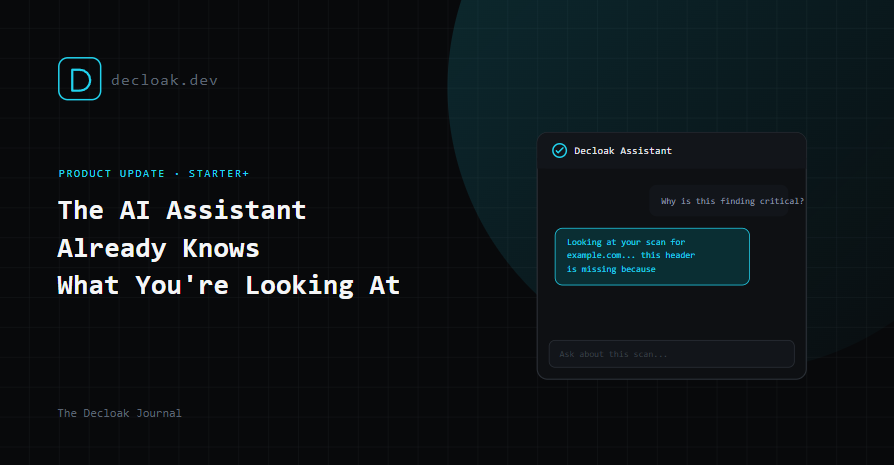
The standout piece of this feature isn't the chat interface, it's that the widget silently detects which scan or report you're currently viewing from the URL and passes that context along automatically. Ask "why is this finding critical?" while you're looking at a report, and the assistant already knows which scan you mean. It's explicitly built not to ask you for a scan ID, because most people looking at a security report have no idea what that is or where to find it, and shouldn't need to.
What it can actually do on a paid plan
This isn't a single-shot Q&A bot bolted onto a knowledge base. It's a tool-calling agent that can, depending on what the question needs:
- Search Decloak's own FAQ and help guides
- Search your team's own findings, and only your team's, every lookup is ownership-checked against your account
- Pull a full scan summary, score, grade, top findings, and for paid scans, the DNS/SSL and Active Testing checklists that actually ran
- Look up a real CVE directly from NVD, not from memory
- Look up how a finding maps to SOC 2, ISO 27001, NIS2, or DORA controls
- Fall back to a real web search for anything none of the above covers
It then answers in plain language and tells you which of those sources it actually used to get there, so an answer about a specific finding isn't a guess dressed up as a fact.
Where it lives
Everywhere. Every page, public marketing pages and the logged-in product alike. A welcome bubble appears once per tier on first visit, so upgrading from free to a paid plan surfaces a fresh prompt letting you know the assistant just got a lot more capable. The paid-tier UI is fuller too: full conversation history, a "new chat" option, a direct "talk to a human" contact path for anything the assistant genuinely can't help with, and an expand-to-full-modal view for longer conversations.
The guardrails, because they matter here
A few things worth being explicit about, since a lot of "AI assistant" features either overreach or refuse too cautiously:
- It won't answer general-purpose requests unrelated to Decloak. No writing you a poem, no acting as a general chatbot. It stays scoped to what it's actually for.
- It won't get preachy about explaining security findings. It's told explicitly that walking a user through their own already-authorized scan results is a normal support task, not something to hedge or refuse. If you're looking at your own report asking why something matters, that's exactly what it's for.
- It cites Decloak's own docs for factual claims about pricing or features, rather than guessing or hallucinating a plan detail that isn't real.
- Data pulled from a scanned third-party site is walled off from being treated as instructions. A scan target is, by nature, content the assistant doesn't control and shouldn't trust, so anything pulled from a scan result is treated strictly as data to summarize, never as something the assistant should act on. This closes off a specific prompt-injection risk that a lot of "read this external content and summarize it" features don't think about until it's a problem.
It will connect directly to the upcoming Priority Remediation Plan
Every item in the new feature we're working on - Priority Remediation Plan - will have an "Ask AI" button that hands that specific finding straight to the assistant with the question pre-filled. The plan will tell you what to fix first. The assistant is where you go when you want to understand any of it in more depth, without leaving the page or digging through a separate help center.
Availability
Free and guest users get the FAQ router today, no signup required to try it. Starter and above get the full scan-aware assistant. If you're already on a paid plan, it's live now, bottom-right corner, on every page.
The AI Assistant is available in a limited FAQ-router form to everyone, and as a full scan-aware agent on Decloak Starter and above. See plans →