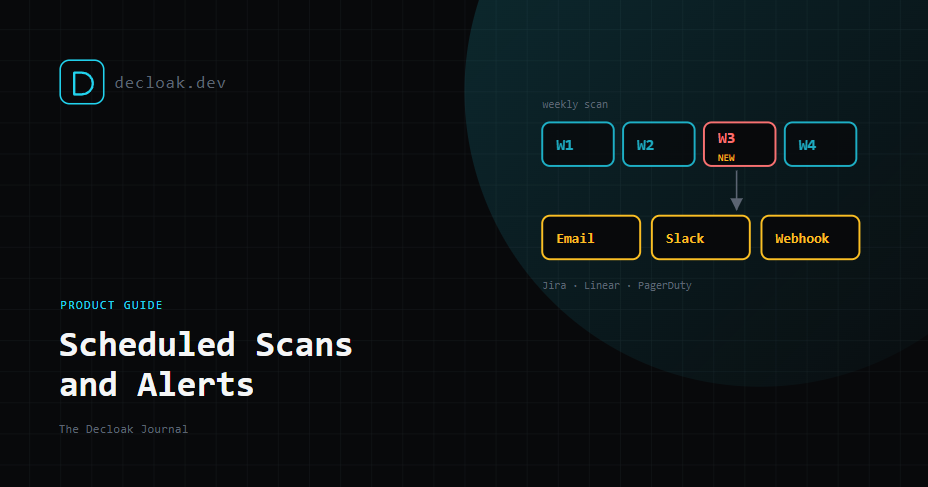
Set It Once: Scheduled Scans, Email Alerts, Slack and Webhooks in Decloak
A scan tells you how your site looked at one moment. The trouble is that sites keep changing after that moment, and often when nobody has deployed anything.
A certificate gets close to expiry. Someone publishes a new tag in the tag manager. A plugin updates itself. A CVE is published against a server version you've been running for months, which makes yesterday's clean result wrong today without a single change on your side. This week's PHP2Shell disclosure is exactly that kind of change.
Decloak's automation features exist so you don't have to remember to look. This guide covers each one, how they fit together, and what they won't do.
The pieces
| Feature | What it does | Plan |
|---|---|---|
| Scheduled scans | Runs a scan automatically, weekly, monthly or quarterly | Starter |
| Email alerts | Emails you when a scheduled scan finishes, or when a new critical or high finding appears | [CONFIRM TIER] |
| Slack notifications | Posts new critical findings to a Slack channel you choose, within minutes | Pro |
| Webhooks | Sends findings to your own systems, such as Jira, Linear, PagerDuty or a custom endpoint, with signed payloads | Pro |
| API access | Lets your own tools trigger scans, poll their status and fetch findings | Pro |
You can use them on their own, but they work best together: the schedule produces the results, and alerts make sure the right ones reach a person.
Scheduled scans
Pick a domain, pick a cadence, and Decloak runs the scan for you on that schedule. Results are kept in your scan history like any other scan, so you build a record over time without doing anything.
Which cadence suits you depends on how fast the site changes and how much is at stake:
| Site | Suggested cadence | Why |
|---|---|---|
| E-commerce or anything taking payments | Weekly | Scripts on payment pages change often, and PCI DSS 11.6.1 expects tamper detection |
| SaaS app with frequent releases | Weekly | Every release can change headers, scripts and exposed paths |
| Marketing site with a tag manager | Weekly or monthly | Tags can be published without a deploy |
| Brochure site that rarely changes | Monthly | New CVEs against existing software still appear |
| Evidence for an annual or quarterly audit | Quarterly, at minimum | Gives auditors a regular, timestamped series |
When in doubt, choose weekly. It's the shortest gap available, and a gap is the window in which something can change without you knowing.
Why repeat scans are useful even when nothing changed
A clean scan every week is evidence in its own right. Auditors asking for proof of regular vulnerability scanning want a series, not a one-off, and an evidence package can bundle a date range of them into one timestamped file. Your scoreboard score trend also only means something when the scans behind it are regular.
Email alerts
Email alerts cover two events:
- A scheduled scan has finished, so you know a fresh result is ready.
- A new critical or high finding has appeared. The word "new" matters. Alerts are about findings that weren't there before, not a repeat of every issue on every scan. That keeps them rare enough that people still read them.
Slack notifications
Most teams don't live in email. Slack notifications post new critical findings to a channel you choose, within minutes of the scan finding them.
Slack only gets criticals, by design. A channel that pings for every medium-severity header finding gets muted within a week, and then it misses the one that matters. Use a dedicated channel, such as #security-alerts, so the messages don't vanish in general chatter.
Webhooks
A webhook is an HTTP request Decloak sends to a URL you provide whenever a chosen event happens. It is how findings get into the systems your team already uses:
- Jira or Linear, so a new finding becomes a ticket in the right backlog
- PagerDuty, so a critical finding can page whoever is on call
- Your own endpoint, for anything else, from a SIEM to an internal dashboard Each endpoint has its own event selection, so the PagerDuty endpoint can receive only criticals while the ticketing endpoint receives everything. A delivery log shows each request we sent and how your endpoint answered, which makes debugging much less of a guessing game.
Signed payloads, and why you should check them
Every webhook payload is signed with HMAC. HMAC is a signature made from the payload and a secret that only you and Decloak know. Your endpoint recalculates the signature from the request body it received and compares it with the one we sent. If they match, the request really came from Decloak and wasn't altered on the way.
A webhook URL is just a URL. If your receiver doesn't check the signature, anyone who learns it can send fake findings into your ticket queue or page your on-call engineer at 3am. Three habits make a receiver safe:
- Verify the signature against the raw request body, before parsing it, using a constant-time comparison.
- Keep the secret out of code. Store it as an environment variable or in a secrets manager, and rotate it if it leaks.
- Expect repeats. Handle the same event arriving twice without creating two tickets.
API access
For anything the built-in schedule doesn't cover, the REST API lets you trigger scans, poll their status and fetch findings yourself. The common use is scanning after every deploy: your pipeline calls the API once a release is live and fails the build, or opens a ticket, if new high or critical findings appear. The API has OpenAPI documentation, so most HTTP clients can generate a client from it.
If you work with an AI coding agent, our MCP server does the same job without any glue code.
A setup that works for most teams
- Schedule a weekly scan for each production domain.
- Turn on email alerts for scan completion and new critical or high findings.
- Send criticals to a dedicated Slack channel.
- Add a webhook to your ticketing tool for new findings, so each one has an owner.
- Add a second webhook to PagerDuty for criticals only, if your site justifies paging someone.
- Review the comparison report after each scheduled scan. It shows what is new, what is resolved and what changed severity since the last run. That's half an hour of setup, after which the only time you hear from Decloak is when something has changed.
The honest limits
- Scheduled is not real-time. A weekly scan means a problem introduced the day after a scan can go unseen for up to six days. Decloak isn't a monitor that watches every page load. If you need to know the moment a payment-page script changes, pair scheduled scans with client-side protection on that page, such as a strict Content-Security-Policy.
- Alerts only cover what scans can find. Everything in our usual limits still applies: no source code access, and nothing behind a login unless you've set up authenticated scanning.
- Alerts are about change, not backlog. Problems that were already there before you switched alerts on are in your report and remediation plan, not your inbox. Work through those separately.
- Webhooks are only as reliable as the receiver. We log every delivery, but if your endpoint is down or rejects the request, the ticket won't appear. Check the delivery log when something seems missing.
Related reading
- Your Tag Manager Can Change Your Live Site Without a Deploy
- 1,000 Findings, 7 Things to Fix First: Introducing the Priority Remediation Plan
Schedule your first recurring scan in under a minute. See Decloak's automation features →