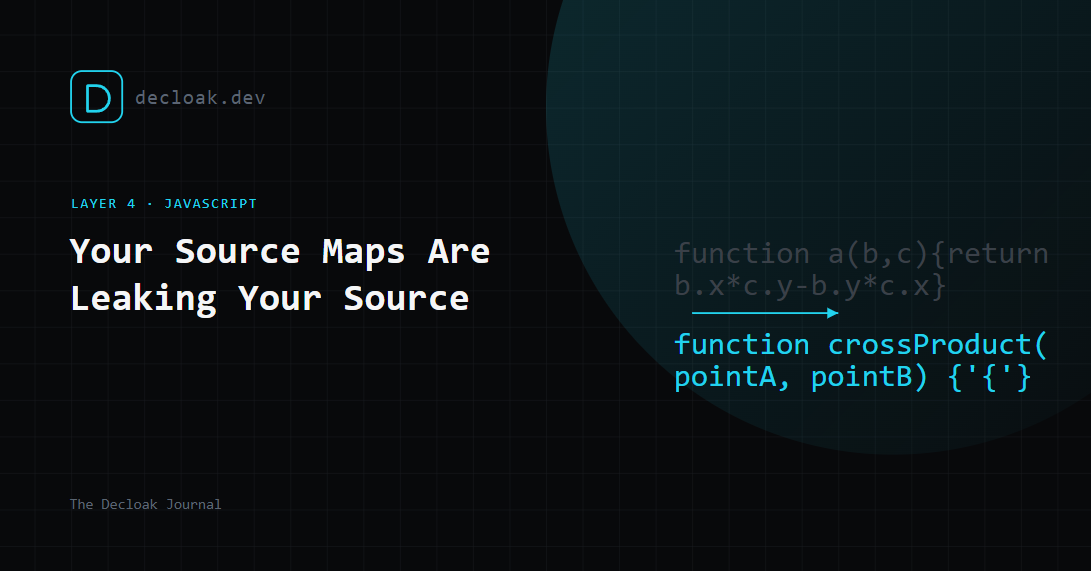
Your Production Site Might Be Shipping Its Own Source Code (And Not Telling You)
Minified JavaScript is meant to be unreadable. Variable names get shortened to single letters, whitespace is stripped, comments disappear, and the whole file gets compressed into a dense wall of code that's genuinely painful to reverse-engineer by hand.
Source maps quietly undo all of that.
What a source map actually does
A source map is a file, usually named something like app.js.map, that tells the browser how to translate minified code back into its original, human-readable form. They exist so that when you're debugging in production, your browser DevTools can show you the real file names, real variable names, and original line numbers instead of a single 40,000-character line of gibberish.
They're genuinely useful for debugging. The problem is what happens when they ship to production and stay publicly accessible, which is the default behavior for most build tools unless someone explicitly turns it off.
What an attacker gets
If app.js.map is sitting at a predictable, unauthenticated URL next to app.js (which it almost always is, since that's how source maps are designed to work), anyone can download it and reconstruct your original, unminified, uncompressed source code. Not an approximation, the actual original files, including:
- Original variable and function names, which often describe exactly what a piece of logic does
- Code comments, including the ones developers leave for themselves that say things like
// TODO: remove this hardcoded key before launch - Internal API endpoint structures and parameter names that weren't obvious from the minified version
- Business logic: pricing calculations, feature flag conditions, validation rules, anything that was written in JavaScript that runs client-side
None of this is a vulnerability in the traditional sense. It's not an injection or an exploit. It's just your entire codebase, handed over for free, to anyone who thinks to check for a .map file.
Why this matters more than it sounds
On its own, exposed source doesn't compromise anything, it's a research tool for an attacker, not an attack. But it dramatically shortens the distance to finding something that does. An attacker with your real source code can:
- Read exactly how your authentication or authorization logic works, and look for the edge case it misses
- Find hardcoded credentials, internal endpoint paths, or API keys that a comment or variable name gives away
- Understand your validation logic well enough to craft inputs that slip past it
- Map your entire client-side application structure in minutes instead of hours of manual reverse-engineering
It turns a blind guessing exercise into a targeted one. Combined with almost any other finding, a missing security header, a slightly-too-permissive CORS policy, exposed source code is often the thing that makes an otherwise minor issue exploitable.
How to check if yours are exposed
Open DevTools → Network on your live production site, reload the page, and look at the requests for your JavaScript bundles. If you see a sourceMappingURL comment at the bottom of a .js file, or you can directly request yourfile.js.map and get a 200 response instead of a 404, your source maps are exposed.
Decloak checks for this automatically as part of its JavaScript layer, and where it finds one, the full agent scan will fetch it and confirm exactly what's reconstructable, not just that a .map file exists.
How to fix it
The fix depends on your build tool, but the underlying setting is almost always the same: disable source map generation for production builds, or generate them but don't publish them publicly.
- Vite/Rollup: set
build.sourcemap: falsein your production config, or'hidden'if you want maps generated for your own error-tracking tool without a publicsourceMappingURLreference. - Webpack: set
devtool: falsefor production, or usehidden-source-mapto generate the file without linking it publicly. - Next.js: set
productionBrowserSourceMaps: falseinnext.config.js(this is already the default in most versions, but worth confirming).
If you use an error-tracking tool like Sentry, you can usually still get readable stack traces by uploading source maps directly to the tool at build time, without ever serving them publicly from your site.
Decloak checks for exposed source maps, hardcoded API keys, and vulnerable JavaScript libraries as part of its free 8-layer scan. Scan your site free →