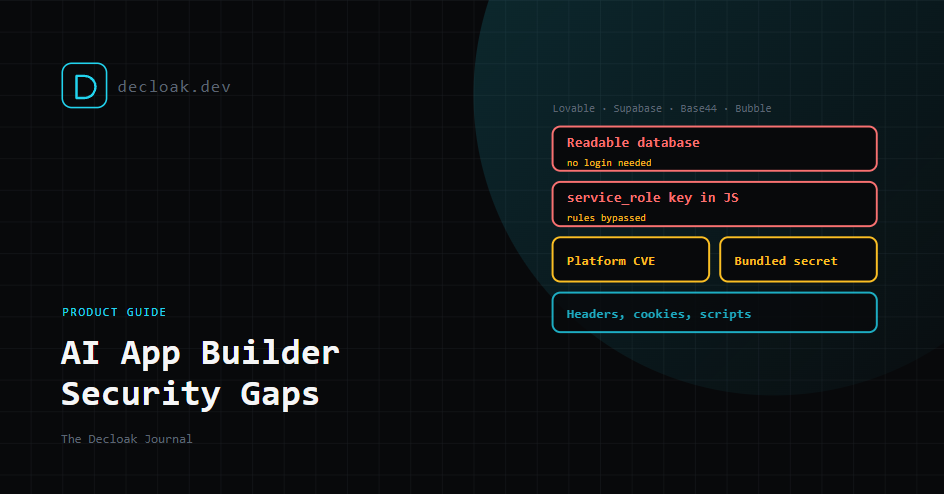
Built It With Lovable, Base44 or Bubble? The Security Gaps AI App Builders Leave, and How Decloak Checks for Them
AI app builders have changed who can ship software. Describe what you want, and an hour later there's a working app with sign-up, a database and a payment page. That's a real achievement, and we'd never argue people shouldn't use them.
The trouble is that the parts that make an app safe are the parts you never see in the preview. The app looks finished whether or not the database is locked down. Most of the problems we find in AI-built apps are not clever. They're the same few gaps, repeated thousands of times.
This guide covers what those gaps are, how they show up on the most common platforms, and what Decloak's vibe-coded platform checks look for. They're included in every scan, including free ones.
Why AI-built apps share the same problems
Most AI builders produce apps where the browser talks straight to a hosted backend. There's often no server of your own in between. That's what makes them fast to build, and it moves all of the security into two places:
- The rules on the backend that decide who can read and write what.
- The keys in the browser that identify your app to that backend. If the rules are missing or too loose, anyone who opens the browser's developer tools can query your data directly, without going through your app's screens at all. If the wrong key ends up in the browser, the rules don't matter, because that key bypasses them.
The AI that wrote your app may have done both correctly. It may not. The app works identically either way, which is why nobody notices.
Platform by platform
Lovable and Supabase
Lovable typically builds apps on Supabase, a hosted Postgres database. Supabase gives every project two keys:
- The anon key, which is meant to be public. It's safe in the browser only when Row Level Security (RLS) is switched on and has proper policies. RLS is the set of database rules that decide which rows each user can see.
- The service_role key, which bypasses RLS completely. It must never leave your server. In 2025, a researcher found that many Lovable-generated projects had missing or ineffective RLS. The issue was assigned CVE-2025-48757, and a follow-up scan found 303 exposed endpoints across 170 projects, with data including emails, phone numbers, payment status and API keys. Lovable has since added its own security checks, but an app built before then, or changed since, still needs checking.
We covered the Supabase side in detail in Why Your Supabase Database Might Be Publicly Readable.
Base44
Base44, now owned by Wix, showed a different kind of risk. In July 2025, Wiz researchers found that two of the platform's sign-up endpoints didn't require authentication. With nothing more than an app's ID, which appears in its public URL, anyone could register a verified account on a private app, including apps restricted to company single sign-on.
Wix fixed it platform-wide within 24 hours, and found no evidence it had been exploited. The lesson isn't about Base44 specifically. When you build on a platform, its vulnerabilities are your vulnerabilities, and you can't patch them yourself. You need to know when one is published and whether you're affected.
Bubble
Bubble apps control data access with privacy rules on each data type. Bubble's own security dashboard checks for several issues that come up again and again, including:
- sensitive data types with no privacy rules at all
- an "Everyone else" rule that leaves every field visible to logged-out visitors
- API documentation left publicly visible
- backend workflows that can be triggered without logging in
- API tokens or credentials visible in the page If you build on Bubble, run its security dashboard as well as an outside scan. It can see your settings, and we can't.
What Decloak checks
The platform misconfiguration layer runs on every scan, Free included, alongside the scan's checks for secrets in your JavaScript.
| Check | What it means | Why it matters |
|---|---|---|
| Publicly readable database | Data your app stores can be read without logging in | Anyone can download your users' details |
| Exposed service_role key | A Supabase admin key is in your JavaScript | Your database rules are bypassed entirely |
| Known platform CVEs | Your platform has a published vulnerability that may affect you | You may need to act even though you didn't write the bug |
| Secrets in the bundle | API keys for other services are visible in your code | Someone else can run up your bill or read your data |
These sit alongside the rest of the scan, so the same report also covers headers, cookies, third-party scripts and vulnerable libraries. On Starter and above, the full-site AI agent also looks at exposed source maps, which can hand anyone the original, readable code of your app. We explained why that matters in Your Production Site Might Be Shipping Its Own Source Code, and how bundled keys get there in Your API Keys Are Probably in Your JavaScript Bundle Right Now.
If we find something
Fix them in this order:
- Exposed service_role or admin keys. Rotate the key in your platform's dashboard first, then remove it from the frontend. Removing it without rotating leaves the old key working for anyone who already copied it.
- Readable data. Switch on RLS or privacy rules for every table or data type, then add policies so each user sees only their own records. Test it while logged out.
- Other secrets. Rotate them, move them to a server-side function, and restrict any key that has to stay public (for example, limit a maps key to your domain).
- Platform CVEs. Check the platform's advisory to see whether you need to act, or whether it was fixed for everyone. If you built the app with an AI tool, you can paste the finding into it and ask for the fix. Then scan again. "The AI says it's fixed" and "it's fixed" are not always the same thing.
What these checks can't do
- We test as an outsider. We can see whether data is readable without logging in. Whether user A can read user B's records needs an authenticated scan, which is an Enterprise feature.
- We don't see your settings. A rule that's set up correctly but never applied, or a backend workflow that's never called from the page, may not show up from outside. Your platform's own security tools can see things we can't.
- Coverage varies by platform. The checks are built around the most common AI builders and their most common failures. A less common platform, or an unusual setup, may get less specific results.
- A clean scan isn't a guarantee. It means we didn't find these problems from where we looked.
The short version
AI builders make building easy. They don't make data rules optional. Before you share the link with real users, find out whether a stranger with a browser can read what they'll trust you with.
Sources: Superblocks on CVE-2025-48757, Wiz on the Base44 flaw, Bubble security dashboard issue list
Built it with an AI app builder? Find out what a stranger can see in 15 seconds. Run a free scan →