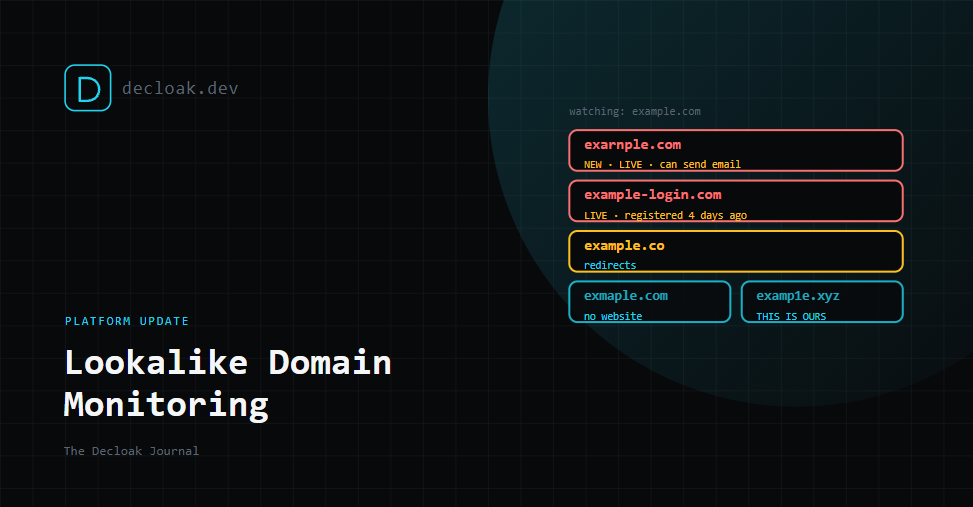
Lookalike Domain Monitoring Is Live: Find Out When Someone Registers a Copy of Your Domain
Every scan Decloak runs looks at your own site. That covers a lot, but it can't see the site that matters most in a phishing campaign: the one pretending to be yours, on a domain you don't own.
Most companies learn about those domains when a customer forwards a suspicious email. By then the domain has usually been live for a while. Lookalike domains are cheap to register, and they're often in use within days.
Lookalike domain monitoring closes that gap. Switch it on for a domain you already scan, and Decloak checks realistic copies of it every day, then tells you when one is registered and serving a live website.
The phishing site that isn't on your domain
Your SPF, DMARC and security headers protect your own domain. They do nothing about examp1e.com. A lookalike domain is entirely the attacker's: their DNS, their hosting, their mail server. Nothing you control will log it, and no scan of your own infrastructure will find it.
That's why this feature looks outward. It doesn't scan your site at all. It watches the domain space around your name.
What a lookalike looks like
Take a short brand name, example.com. Here are a few of the variations an attacker might register, and that we check for:
| Variation | How it was made |
|---|---|
exmaple.com | Two letters swapped |
exampel.com | Two letters swapped at the end |
exarnple.com | "rn" standing in for "m" |
examp1e.com | "1" standing in for "l" |
exаmple.com | A Cyrillic "а" that looks identical to the Latin one |
example.co | Same name, different TLD |
example-login.com | An added word |
ex-ample.com | An inserted hyphen |
Some of these are easy to spot when you look closely. Most people don't look closely, especially on a phone, and especially when the email says their account is about to be suspended.
How it works
- You switch it on per domain. Open a domain you already scan, go to the Lookalike Domains tab and click Enable monitoring. It runs separately from your free and agent scans.
- We generate the variations. Each day we build up to about 250 realistic copies of your domain:
- typos: missing, doubled, swapped or keyboard-adjacent letters
- look-alike characters: "rn" for "m", "0" for "o", and Cyrillic letters that look identical to Latin ones
- the same name on other TLDs, such as
.co,.xyzand.support - added words such as
-loginor-support - an inserted hyphen, and bit-flip variants (domains one flipped bit away from yours, which a faulty device can occasionally request by mistake)
- We check which ones exist. Most aren't registered, and we discard them. We only store the ones that are.
- We look at each registered domain once. We make one plain request to its homepage and record whether it serves a live website, redirects elsewhere, returns an error or has no website at all. We also note whether it has mail records, which means it can send email.
- We add registration details where we can. When the registry publishes them, we show when the domain was registered and through which registrar, from public RDAP records. RDAP is the modern replacement for WHOIS. When a registry doesn't publish a date, the page says so and why.
- We alert you when a lookalike newly goes live, or an existing one changes to live.
What you see
Each domain page gets a Lookalike Domains tab. For every registered lookalike it shows:
- the domain, and how it was generated
- its status: live, redirecting, error or no website
- the date we first saw it
- its registration date, where published
- a "can send email" badge if it has mail records
A lookalike registered last week, serving a live page and able to send email deserves a much closer look than one registered in 2014 that shows a parking page.
You can also check now (once an hour), pause monitoring or stop it. If a lookalike is one of your own defensive registrations, click This is ours. It stays on the list but never alerts again, and you can undo it.
Alerts without a flood
The first run is a baseline. Any established brand will already have some lookalikes registered, so on day one you get a single summary email of what already exists. After that you only hear about new things.
| Channel | What you get | Plan |
|---|---|---|
| Alerts to team members who haven't opted out. Viewers aren't emailed. | Starter and above | |
| Slack and signed webhooks | A new lookalike.detected event, set up on the Integrations page | Pro and above |
| API | GET /api/v1/lookalikes, read-only | Pro and above |
| MCP | A list_lookalike_domains tool for AI agents, read-only | Pro and above |
If you've already set up Slack or webhooks for scan findings, our automation guide covers how events and signed payloads work. The new event slots in alongside the others.
It's passive
Monitoring never touches your own site. For lookalike domains we only look up DNS and fetch a homepage once. We run no scripts, submit no forms and don't interact with whatever is hosted there.
What to do when you find one
An alert is a prompt to look, not a verdict. If you look and it's clearly imitating you:
- Capture evidence. Screenshot the page and note the date, the URL and any email you've seen sent from it.
- Report it to the registrar and the host. The registrar is on the lookalike's page in Decloak when the registry publishes it. Most registrars and hosts have an abuse contact and act on clear impersonation.
- Report it to Google Safe Browsing. Once a phishing page is listed, most browsers start warning visitors before they reach it.
- Tighten your own email authentication. A lookalike domain can't be stopped by your DMARC, but strict SPF and DMARC stop attackers sending from your real domain, which pushes them to lookalikes that are easier for people to spot. Our DNS records guide covers both, and so does the guide in the product.
- Warn your customers if the domain is actively sending email, so they know which address is really yours.
If it turns out to be yours, or an unrelated business with a similar name, mark it with This is ours or leave it be. It won't alert again unless its status changes to live.
A note for SOC 2 and ISO 27001
Buyers working towards SOC 2 or ISO 27001 often get asked how they monitor threats to their brand and customers outside their own systems. A running record of lookalike domains, when they were first seen and what was done about them is useful supporting evidence for that conversation. As with everything in Decloak, it supports an audit. It isn't one.
What it doesn't do
We want to be precise about this:
- "Live" doesn't mean "phishing". It means the domain answered with an ordinary web page. Many lookalikes are parked pages, defensive registrations or unrelated businesses with similar names. We don't claim any of them are malicious.
- It doesn't inspect page content yet. We don't check for login forms, copied logos or brand imitation on the page.
- It doesn't generate every possible variation. The cap is about 250 per domain, chosen to cover the most realistic ones. A determined attacker can register something we didn't think of.
- It doesn't take domains down. We don't file abuse reports or takedown requests for you.
- Registration dates aren't universal. Some registries don't publish them, and we'll tell you when that's the case.
- It's daily, not instant. A new lookalike can be up to about a day old before you hear about it.
Getting it
Lookalike domain monitoring is included on Starter and above, with email alerts. Pro and above add Slack, webhooks, the API and MCP. On the Free plan, the tab shows what you'd get.
If you're already on Starter or above, open any domain you scan, go to the Lookalike Domains tab and click Enable monitoring.
Find out who has registered a copy of your domain. Turn on lookalike monitoring →