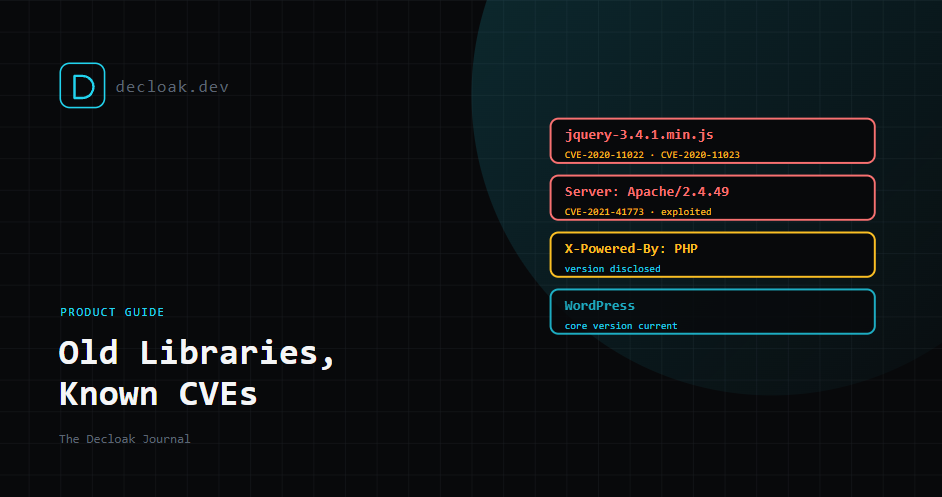
That jQuery You Added in 2019 Is Still Running: How Decloak Finds Vulnerable Libraries and Server Software
Every site has a layer of code that nobody thinks about. A JavaScript library added for one feature years ago. A script tag pointing at a specific old version on a CDN. A web server that has been "fine" since it was set up. None of it breaks, so none of it gets updated.
Meanwhile, vulnerabilities keep being published against exactly those versions. Your site doesn't change, but the list of known problems with it does.
Three of the checks in every Decloak scan, Free included, are about this layer: JavaScript CVE detection, server software CVE detection, and CMS and platform fingerprinting. This guide explains how they work and how to act on what they find.
A CVE in one line
A CVE (Common Vulnerabilities and Exposures) is a public ID for a known security flaw, such as CVE-2021-41773. It lets everyone, from vendors to scanners, refer to the same bug in the same way.
JavaScript libraries
How we spot them
When we load your page, we see every script it runs. For each one, we try to identify which library it is and which version, using things like file names, version comments and the library's own fingerprints. Then we check that library and version against two sources:
- Retire.js, an open-source project that maintains a list of known-vulnerable JavaScript library versions.
- OSV, an open vulnerability database that pulls together advisories from many open-source ecosystems. When there's a match, the finding tells you the exact file, the version detected and the CVE ID, so you can see precisely what we're talking about.
A typical example
jQuery versions before 3.5.0 have two well-known cross-site scripting flaws, CVE-2020-11022 and CVE-2020-11023. They're old, they've been fixed for years, and old copies of jQuery are still everywhere: in themes, plugins and pages copied from tutorials. It's one of the most common findings we see.
Server software
Many web servers announce what they are in every response. A header like Server: Apache/2.4.49 or X-Powered-By: PHP/8.1.2 tells anyone listening exactly what you run.
When a server discloses a version, we match it against the NVD (the US National Vulnerability Database). Apache 2.4.49 is a good illustration. It has a path traversal flaw, CVE-2021-41773, which was exploited in the wild within days of disclosure.
The disclosure itself is also flagged in the security headers check. It doesn't create a vulnerability, but it saves an attacker the trouble of working out which exploits to try. We saw how much that matters during PHP2Shell, when every server announcing an unpatched PHP version was an easy target.
CMS and platforms
We also identify the CMS or e-commerce platform behind a site, including WordPress, Joomla, Drupal, Magento, Shopify and Wix. What that means depends on who runs it:
| Platform type | Examples | Who patches the core |
|---|---|---|
| Self-hosted | WordPress, Joomla, Drupal, Magento | You, or your host |
| Hosted | Shopify, Wix | The platform |
For self-hosted platforms that disclose a version, we check it against the NVD. For hosted platforms, the core is patched for you, so the useful findings are usually elsewhere: apps, plugins, third-party scripts and your own configuration.
Version detection has to be careful. We learned that the hard way when an old WordPress readme pattern started reporting fully patched sites as ancient versions, which we wrote about in our stability and accuracy update. We now refuse any "version" that doesn't look like a real one.
How to triage what we find
Not every match deserves the same urgency. Work through it like this:
- Is the software reachable and in use? A library loaded on every page matters more than one left in an unused folder. If it isn't needed, remove it. That's the cleanest fix.
- Is there a newer version? Usually yes. Upgrading is almost always the answer, and the finding tells you which version you're on.
- Is it being exploited? If the CVE is on CISA's Known Exploited Vulnerabilities list, treat it as urgent regardless of its severity score.
- Are you using the vulnerable part? Many library flaws only matter if you use a specific function in a specific way. That's a useful thing to know, but "we probably don't use that function" is a weaker position than "we upgraded".
- Hide version banners, but patch first. Removing
X-Powered-Bystops you advertising your version. It doesn't fix anything. The Priority Remediation Plan ranks these findings alongside everything else, so you can see where they sit against your other issues.
The honest limits
- Hidden versions mean no result, not a clean result. If your server doesn't disclose a version, we can't tell you whether it's patched. Check on the server.
- Backported patches can look vulnerable. Linux distributions often fix a flaw without changing the version number. A server reporting an old version may actually be patched. If you're sure that's the case, on Pro and above you can mark the finding as an accepted risk.
- Bundled code is harder to identify. When a library is minified into one big bundle with no version marker, we may not be able to say which version it is.
- Databases lag. A brand-new CVE can take time to appear in the NVD with the version data matching relies on.
- We only see what loads. A free scan checks one page. A library only used on your checkout page won't be found unless that page is scanned. The full-site AI agent on Starter and above covers far more of the site.
- A match isn't proof of exploitability. It means a known flaw exists in that version. Whether it's exploitable on your site depends on how the code is used. Confirming that is a job for AI Pentesting or a human tester.
Why outside-in still matters
Your package manager and dependency tools tell you what's in your repository. Our scan tells you what's actually served to visitors, including scripts added through a CMS, a tag manager, a theme or a copy-pasted snippet that never went near your repository. Those are often the oldest code on the site.
Find out which old libraries your site is still serving. Run a free scan →