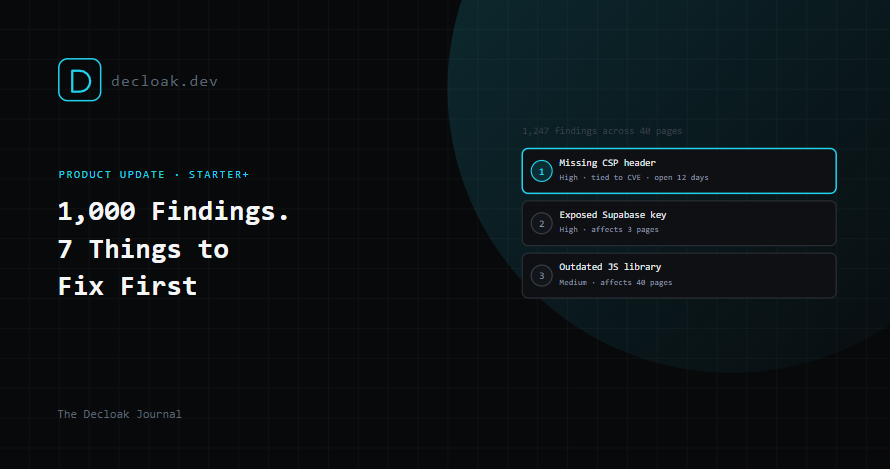
1,000 Findings, 7 Things to Fix First: Introducing the Priority Remediation Plan
A full scan is genuinely useful for coverage. It's also, on its own, a terrible to-do list. A domain with a few hundred pages can easily surface a thousand individual findings once you count every page a missing header or an outdated library shows up on. Nobody opens that on a Monday morning and knows where to start.
The Priority Remediation Plan is our answer to that specific problem: a curated, deduplicated top-25 fix list, derived from a domain's full finding set, available on every paid plan starting at Starter.
How the ranking actually works
This isn't a black box, and we built it deliberately not to be one.
- Findings get grouped by category and title. A missing security header showing up on 40 different pages collapses into a single item with an "Affects 40 pages" badge, instead of 40 separate rows that all say the same thing.
- The list is sorted by severity first, then by whether a CVE is attached (a finding tied to a known, named vulnerability wins ties over one that isn't), then by how long the issue has sat open, then alphabetically as a final tiebreaker if everything else is equal.
- You see the top 25, and every single item shows exactly why it landed where it did. Not "trust us", the actual reasoning: "#3 of 25 · high severity · tied to a known CVE · open for 12 days."
That last point matters more than it might seem. A ranked list you can't interrogate is just an opinion with a number next to it. Showing the logic means you can actually push back on it, agree with it, or explain it to a client, rather than taking it on faith.
What's inside each item
Every entry in the plan includes the rationale for its ranking, a plain description of the issue, the raw evidence behind it, how many pages it affects, and AI-written remediation advice in plain English, formatted as Markdown so it's readable, not a wall of text. On Pro, each item also gets status and assignment tracking, Open, In Progress, Resolved, and the ability to assign it to a specific teammate. There's an "Ask AI" button on every item too, which hands that exact finding straight to the AI Assistant with the question already framed, so going deeper on any single item doesn't mean starting a new conversation from scratch.
Where to find it
There's a new Priority Plan tab on the per-domain dashboard, sitting alongside Scans, All Findings, Compliance Mapping, Evidence Packages, and Activity Log. It works against a domain's latest scan regardless of whether that scan was a free single-page check or a full paid multi-page agent scan.
How the remediation advice actually gets written
For anyone curious about the mechanics: remediation text is generated by an LLM prompted specifically for three things, what the actual risk is, how to fix it for your specific finding rather than generically, and a priority tier, fix now, this sprint, or this quarter.
It's cached per domain against a fingerprint of category, title, CVE, and evidence, so a repeat or scheduled scan that turns up the same issue doesn't regenerate identical guidance from scratch every time. Generation happens in three passes: a bulk pass at scan time for anything critical or high severity, an on-demand "Generate remediation advice" button for lower-priority findings you want to look into, and a final fill-in pass at PDF export time, so an exported report never ships with a blank "how to fix this" section.
Export: a document you can actually hand to someone
Export as PDF produces a branded, white-label-aware PDF, if you've set up white-label branding, it carries your logo, color, and fonts, not ours, that a consultant or in-house team can hand straight to a client or a developer. It's generated fresh every time rather than cached, since status and assignment can change between exports and a stale PDF showing a finding as "Open" after someone's already resolved it isn't useful to anyone.
Availability by tier
- Free: the tab is visible but locked, with an upsell card explaining what's behind it.
- Starter and above: the full ranked plan, AI-written remediation advice, and PDF export.
- Pro and above: adds inline status, assignee, and notes editing directly on each item.
Who this is really built for
If you're an agency or a compliance-focused team, this is the feature that turns a scan into a deliverable. "Hand a finished plan straight to a client" is the whole point, a ranked, explained, exportable document rather than a raw findings table someone else has to make sense of. Combined with white-label branding, it's a report that looks and reads like it came from you.
The Priority Remediation Plan is available on Decloak Starter and above, with inline status tracking on Pro. See plans →