PDF Reports Now Come in 11 Languages, With the Technical Detail Left Exactly as Found
A security report is often a deliverable, not just something you read. An agency hands it to a client. A compliance lead hands it to an auditor or a board. If that reader works in Norwegian or German, an English PDF turns into extra work: someone has to translate it, or the reader has to struggle through it.
Starting today, on Pro and Enterprise, this is now possible on Decloak.
What you get
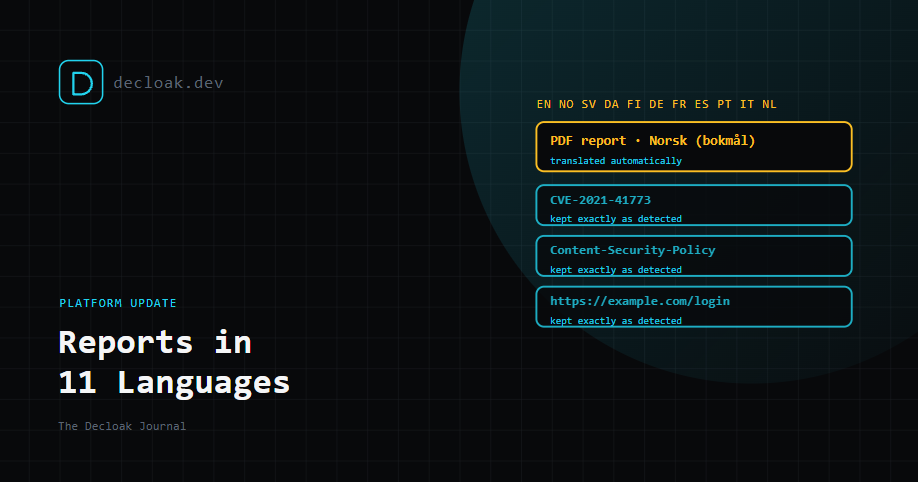
Eleven languages: English, Norwegian (bokmål), Swedish, Danish, Finnish, German, French, Spanish, Portuguese (Brazilian), Italian and Dutch.
One setting: a dropdown under Account, then Team. It applies to the whole team and saves straight away.
Four reports:
- the full agent report
- the Active Testing (DAST) report
- the AI Pentesting report
- the Priority Remediation Plan That includes the copies inside evidence packages, so an auditor gets the same language as everyone else.
Older scans too. Translation happens when the PDF is built, not when the scan runs, so it works on scans you ran before this feature existed.
What's translated, and what deliberately isn't
| Translated | Left exactly as detected |
|---|---|
| Cover, headings, tables, dates and methodology | Evidence, URLs and payloads |
| The AI executive summary | Header and cookie names |
| Every finding's title, category and description | Code examples |
| Full fix advice for every finding | CVE and CWE IDs, and version numbers |
| Official OWASP category names and compliance control IDs |
The right-hand column matters as much as the left. A translated report is read by managers and clients, but it's acted on by engineers. If Content-Security-Policy became a translated phrase, or a URL picked up an accent, the engineer would have to go back to the English report to find out what was meant. So anything an engineer might copy into a ticket or a terminal stays byte-for-byte as we found it.
OWASP categories and compliance control IDs also stay as cited, because that's how auditors and frameworks refer to them.
Every translated PDF says which language it's in on the cover, and states that it was translated automatically. Nobody should mistake a machine translation for a human one.
How it works
English first
Every report is written and stored once, in English. The same findings feed the web report, alerts and the API, so English is the single source. If we'd generated reports directly in Norwegian instead, every scan run before today would have been left untranslated.
Translated as the PDF is built
When you export, Decloak builds the PDF once to collect every piece of text it would actually print. It translates that set in batches, then builds the PDF again in your language. Only what appears on the page is translated, which keeps it fast and avoids translating text nobody will read.
Report wording is fixed and reviewed
The parts of the report that never change, about 400 headings, labels and methodology lines per language, were translated once and kept in the product itself. They're not generated afresh each time, so they're consistent from one report to the next.
Technical text is protected
Before translation, code examples in fix advice are swapped out for placeholders, so the translation model never sees them. They're put back byte-for-byte afterwards. URLs, CVE IDs and inline code are also checked after translation. If any of them changed, that piece of text stays in English rather than risk a corrupted value.
It never blocks the download
If any text can't be translated, it stays in English, the PDF still downloads, and the next download tries again. A partly translated report is better than no report.
Consistent wording, and corrections that stick
Shared translations for generic text. Text that's the same for every customer, such as "Missing Content-Security-Policy header" and its fix advice, is translated once per language and reused. The same finding reads the same way in every report, and repeat exports mostly skip the translation step.
Your site's details stay yours. Anything that names your site, such as the AI summary or text containing your domain, a URL, an IP address or an email address, is translated only for your report. It's stored only inside that scan's cached PDF and deleted along with it. It's never reused for anyone else.
Native speakers can improve it. When a translation is corrected by hand, it's marked as such, applies to everyone using that language, and is never overwritten by a later automatic translation. The first two corrections went in on launch day.
No new data processor. We tested several translation models and engines side by side, and checked the Norwegian output by translating it back. The model we already use for AI executive summaries did best, so translation uses the same provider. There's no new company handling your data.
Tested on real reports
Before launch, we tested on real scans, including a 24-page Norwegian agent report from a live production account, plus Active Testing and AI Pentesting reports.
- A large report exported for the first time took about 7 to 17 seconds.
- Repeat exports mostly came from cached translations. The Active Testing and AI Pentesting reports took about 50 milliseconds. Every build of the product also renders each report in a made-up test language and fails if any report text was left hard-coded in English. That stops untranslated text creeping back in as reports change.
Who it's for
- Agencies and consultancies delivering reports to clients in their own language, especially with white-label branding.
- Compliance leads whose auditors, boards or regulators work in a language other than English.
- Security teams in multilingual organisations, where the report needs to reach people beyond the engineers. As far as we can tell, none of the 14 competitors we compare ourselves against advertises reports in other languages. A couple translate their app's screens, but don't say their reports follow.
The honest limits
- It's machine translation. It's good, and it improves as native speakers correct it, but it isn't a professional human translation. That's why every PDF says so on the cover.
- Short labels can come out literal. "Forced browsing" first became "Tvangs-browsing" in Norwegian. That kind of thing is exactly what the corrections are for, so tell us when you spot one.
- Only the PDFs are translated. The web app, emails and the single-page free scan stay in English.
- Latin-script languages only, for now. Other scripts need new fonts, and Arabic or Hebrew would also need a right-to-left layout.
Getting it
PDF report languages are included on Pro and Enterprise. Go to Account, then Team, choose a language, and your next export will use it, including for scans you've already run.
If you read one of the supported languages natively and spot wording that could be better, let us know. Every correction improves the reports for everyone using that language.
Hand your clients a security report they can read. See Decloak's reporting features →