Uncloaked: The Optimizely Attack Hit 178 Organisations That Didn't Change a Line of Their Own Code
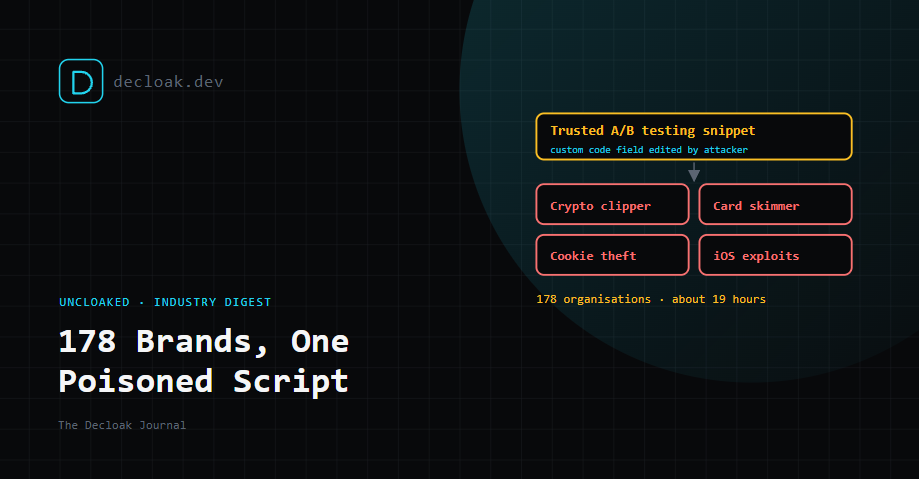
On 16 November, attackers planted malicious code in Optimizely, a widely used A/B testing platform. For about 19 hours it ran on the websites of at least 178 organisations, including news publishers, banks, airlines, retailers and software companies. Reported affected sites include Zoom, the BBC, CNN, HSBC, Salesforce, IKEA and Equifax.
None of those companies changed their own code. They didn't deploy anything, and nobody on their teams made a mistake. The attack arrived inside a script they already trusted, loaded from a vendor they had good reason to trust.
That makes it the clearest example this year of a simple, uncomfortable rule: your site is only as secure as the least secure script it loads.
Below: how it worked, what limited it, an honest account of what a Decloak scan would have shown, what we're planning, and two other stories from the same week.
1. The Optimizely attack
How it worked
Optimizely lets customers add their own code to every page through a "Project JavaScript" field. That code is bundled into the snippet each site loads from Optimizely's CDN. The attacker wrote a small loader into that field, customer by customer, and Optimizely's own infrastructure delivered it.
Because the rest of the snippet looked normal, nothing obviously broke. Sites that host a copy of the snippet on their own domain were affected too. Report URI, which led much of the analysis, confirmed this was not CDN cache poisoning.
Optimizely says an unauthorised party exploited a vulnerability in its Experimentation product, which has since been fixed, and that it has removed the injected code. All infected snippets were cleaned by 23:11 UTC on 16 November.
What it did
| Payload | Who it targeted | What it did |
|---|---|---|
| Crypto clipper | Every visitor | Replaced crypto wallet addresses on the page with the attacker's |
| Card skimmer | Anyone submitting a valid card number, expiry and CVV | Sent the card details to an attacker-controlled domain |
| Cookie and screenshot theft | Visitors who saw a swapped address near wallet or payment wording | Sent cookies, the page address and a screenshot to the attacker |
| iOS exploit kits | iPhones and iPads only | Served exploit kits for iOS 13 to 18, and reloaded vulnerable pages every 60 seconds to retry |
Card fields inside hosted payment iframes, such as those provided by a payment processor, were out of the skimmer's reach.
About US$7,040 in crypto had been traced to the attackers' wallets at the time of reporting. How many cards or devices were compromised is not known.
The timeline
The first injection was seen at 04:21 UTC on 16 November. The attackers' main domain was registered an hour later, the card skimmer was added at 13:43, and mass clean-up began at about 20:40. All infected files were clean by 23:11.
It didn't start that day. One of the iOS exploit domains was registered on 9 November, and an earlier wave from 13 November used the same tooling through other third-party scripts. The attackers' domains were suspended on 17 November.
How it was found
Not by a scanner looking at a page once. It was found by people comparing script snapshots over time. A public scanning service had captured the BBC's snippet before and after the change, and a Last-Modified header showed when Zoom's changed. Report URI then fetched 1,611 snippets and found 188 infected, belonging to 178 organisations. The real number is probably higher.
What would have limited the damage
Report URI analysed 256 affected sites. Its findings are worth acting on this week:
- A tight Content Security Policy. A Content Security Policy (CSP) tells the browser which domains a page may load scripts from and send data to. A
script-srclisting only the hosts a site needs blocked the payload outright on 24 of the 256 sites. Policies using'strict-dynamic'or'unsafe-eval'let it through. - A restrictive
connect-src. This stopped card, cookie and screenshot data leaving the page. It didn't stop the wallet-address swap, which happens entirely inside the page. - CSP reporting. Even in report-only mode, with reporting turned on, requests to the attacker's domain would have shown up from real visitors' browsers within minutes, iPhones included.
- Locking down vendor accounts. The attacker wrote into each customer's Project JavaScript. Who can edit it, and how they sign in, is where this attack actually landed on each site. Subresource Integrity, which pins a script to a fixed hash, doesn't help here. An Optimizely snippet changes by design every time a customer edits an experiment.
Our guide to what Content-Security-Policy actually does explains how to start with report-only mode without breaking anything.
What a Decloak scan would have shown, honestly
We checked our scanner's code against this attack. This is an analysis, not a live test: the attackers' domains were suspended before we could scan one. A scan that happened to run during those 19 hours would have shown signs that something was wrong. It would not have named the theft.
| Signal | Would it fire? | Finding |
|---|---|---|
| Browser records every request | Yes | The attacker's script appears in the page's network traffic |
| Script injected by a third party | Yes | "Dynamically injected script tag", medium |
| Unrecognised third-party domain | Yes | "Unknown third-party domain loading resources", medium |
| Domain looks newly registered | Yes | "Potentially recently registered domain", medium. A guess from the domain's name, not a registry lookup |
| Known malware domain | Only if threat data had listed it in time | "Known malicious domain", critical |
| Content Security Policy | Yes | A missing or weak CSP is flagged with fix advice. That's the control that actually stopped this attack on some sites |
What it would have missed:
- The theft itself. Nothing would say "this script skims cards" or "this script swaps wallet addresses".
- The script's code. Free scans analyse scripts in the page's HTML. A script injected later isn't analysed on free scans, and only on agent scans if the agent chooses to fetch it.
- The iPhone exploits. We scan as desktop Chrome, and the exploit domains only loaded for iOS.
- The change. A scheduled scan would list the new findings, but nothing would alert you that a page had started loading code from a new domain.
- The timing. A daily scan had roughly a four-in-five chance of landing inside the 19 hours. A weekly one probably missed it. On a busy site, three medium findings among dozens of similar ones would most likely have gone unnoticed. We'd rather say that plainly than claim we'd have caught it.
What we're planning
We've added client-side supply-chain detection to our roadmap. It's planned, not built, and it doesn't have a release date yet.
The idea is simple. Malicious code can be disguised, but stolen data still has to leave the page. So instead of hunting for code that looks suspicious, our browser would plant fake data and watch where it goes.
| Planned check | How it would work |
|---|---|
| Card skimmer test | On pages with payment fields, type a public test card number, block the real submit, and trace the digits in every outgoing request, whether plain or encoded |
| Crypto address test | Place test wallet addresses on the page and in the clipboard, and check whether anything swaps them |
| Every script analysed | Analyse every script the browser actually runs, including ones injected after the page loads |
| Script change alerts | Keep a script inventory on scheduled scans and alert when a page starts loading code from somewhere new |
| Real domain age | Look up each domain's registration date, rather than estimating it |
| iPhone pass | One extra page load as an iPhone on scheduled scans, compared with desktop |
Against this attack, those checks would have produced critical findings naming the script that sent card data, and the swapped wallet address on any page. Even then, the limits are real:
- We'd find it, not block it. Only CSP and vendor account security prevent this kind of attack. We'll keep recommending CSP with reporting alongside any detection we build.
- Malware can hide from scanners. Code that waits for real interaction, runs only on checkout pages or detects automated browsers can still slip past.
- A scan is still a snapshot. Change alerts help most for sites scanned daily.
- Hosted payment fields are out of reach, for us and for an attacker on the page. If you're a Decloak member and this matters to you, vote for skimmer and clipper detection on the Feature Roadmap. It helps us decide what to build first.
2. The bank outage that wasn't an attack
On the same day, thousands of JPMorgan Chase customers reported problems checking balances and making transfers, and complaints spread to other banks and Zelle. With a major supply chain attack in the headlines, plenty of people assumed the two were connected.
They weren't. Chase said the problem was a temporary software issue in its on-premises hardware systems, with no evidence of a cyberattack, and that customers kept access to their accounts and funds. Other banks said their own systems were fine, and that delays came from payments involving Chase. Transactions were posting normally again by that evening.
It's worth including because it's a useful reminder: not every outage is an attack, and treating every outage as one makes it harder to spot the ones that are. Resilience failures and security failures look the same to customers, but they need different responses.
3. Irish credit unions hit through a shared provider
In Ireland, around 40 credit unions reportedly notified the Data Protection Commission of a data breach linked to a third-party IT service provider that processes member account data. Reports say payee details, including names, account numbers and addresses, may have been exposed for a large number of account holders. The Irish League of Credit Unions says members' own accounts and balances were not compromised and that the vulnerability has been closed.
Many details are still unconfirmed, including exactly which credit unions are affected and when the breach happened. The pattern, though, is the same one as Optimizely's: a shared supplier, trusted by many organisations at once, becomes the single point where all of them are exposed.
The common thread
Two of this week's three stories came down to a third party many organisations trusted at once. In neither case did the affected organisations do anything unusual. They used mainstream suppliers in a normal way.
You can't audit every supplier's security. You can control three things this week:
- Know what you load. List every third-party script on your key pages, and every supplier that touches your customers' data. Our guide to mapping the domains your pages talk to is a good place to start.
- Add a CSP in report-only mode, with reporting on. It costs nothing to deploy, breaks nothing, and would have shown this attack within minutes.
- Review who can change your scripts without a deploy. That includes your A/B testing tool, your tag manager and anything else with a "custom code" field. Require strong sign-in for every account that can publish. Sources: Report URI, "World's largest brands infected with malware via Optimizely" [ADD URL], BleepingComputer [ADD URL], The Record [ADD URL], Krebs on Security [ADD URL], The Register [ADD URL], Malwarebytes [ADD URL], StepSecurity on OPTIMJACK, Security Affairs on OPTIMJACK, Cybersecurity News on the Chase outage, RTÉ on the credit union breach
See every third-party domain your homepage loads, and whether you have a CSP. Run a free scan →