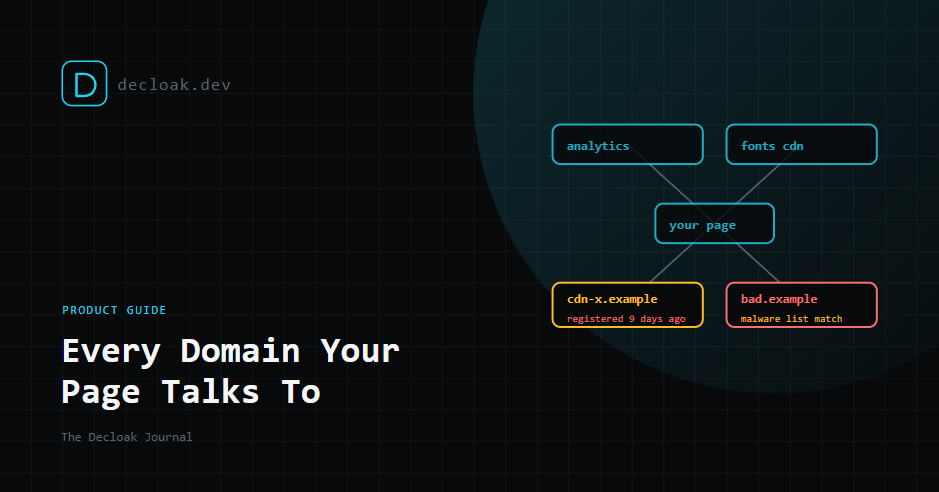
Your Pages Talk to Domains You've Never Heard Of. Here's How Decloak Maps and Checks Every One
Ask most teams which external domains their homepage contacts and you'll get a short list: analytics, maybe a font service, a payment provider. Load the page with a network monitor open and the real list is usually much longer.
That's because every tool you add can load its own tools. An analytics script loads a consent manager, a chat widget loads a video player, an ad tag loads three more ad tags. Each of those domains can run code in your visitors' browsers with the same access as your own code. Most of them, nobody on your team chose directly.
This guide covers what Decloak's third-party domain mapping and domain threat intelligence show you, and how to act on them.
Why this matters: one domain changed hands
In February 2024, the polyfill.io domain, used by more than 100,000 sites to load a common compatibility script, was bought by a new owner. By June, it was serving obfuscated code that redirected some mobile visitors to betting and adult sites. The code avoided admin users and only ran on certain devices, which made it hard for site owners to see.
None of those 100,000 sites changed a line of their own code. The script tag pointed at the same domain it always had. The domain behind it was simply no longer the same.
That's the core risk of third-party code: you're trusting whoever controls the domain today, not whoever controlled it when you added the tag.
What Decloak shows you
Every domain, mapped (Free)
Every scan records each request your page makes as it loads, including scripts, images, fonts, API calls, WebSocket connections and tags injected by other scripts. From that, we list every external domain the page contacted, and categorise each one by purpose, such as analytics, advertising, CDN, payments or social.
The list alone is often the most useful part. It's the inventory almost nobody has written down, and it's the starting point for every question below.
Registration age (Free)
We check when each domain was registered. A domain that is a few weeks old and receiving data from your page deserves a much closer look than one that has belonged to a major analytics company for twenty years.
Attackers tend to register domains shortly before using them, and newly registered domains are a common signal in skimming and malware campaigns. Old doesn't mean safe, as polyfill.io shows, but new and unknown is worth asking about.
Threat intelligence (Starter)
On Starter and above, every third-party domain is checked against a live malware and phishing database, and we flag suspicious registration patterns. If a domain your page loads from is known to be involved in malicious activity, you'll see it as a finding, not a line in a list.
Findings fall into three main categories:
| Finding | What it means |
|---|---|
| Malicious Domain | The domain appears in threat data for malware or phishing |
| Suspicious Domain | Registration or other signals look unusual, but it isn't confirmed malicious |
| Unknown Third-Party Domain | We don't recognise it, and you should check whether you do |
These appear in the main report and, on Pro and above, in compliance mapping. They're particularly relevant to PCI DSS v4.0 requirement 6.4.3, which asks for every script on a payment page to be inventoried and justified. Our PCI DSS post has more on that, and as always, the mapping is indicative, not a certified audit.
How to work through the list
- Recognise every domain. For each one, can someone on your team say what it is and why it's there? If not, find out. Often it's a leftover from a tool you stopped using.
- Remove what you don't need. Every domain you drop is one fewer company you're trusting with your visitors' browsers.
- Look hard at anything new and unknown. A recently registered domain receiving data from your checkout or login page should be investigated today.
- Self-host what you can. Fonts and common libraries can usually be served from your own domain, which takes a third party out of the chain entirely.
- Pin what you can't. For scripts loaded from a fixed URL, Subresource Integrity (an
integrityattribute holding a hash of the file) stops a changed file from running. It doesn't work for scripts designed to change, such as most analytics tags. - Set a Content-Security-Policy. A CSP tells the browser which domains your page may load from and send data to, so an unexpected domain is blocked even if a script tries to use it. Our CSP guide explains how to start without breaking the site.
Where tag managers fit
A large share of unexpected domains arrive through a tag manager, added by someone who never touched your code. If your list includes domains nobody recognises, check your tag manager first. We covered that in Your Tag Manager Can Change Your Live Site Without a Deploy.
The honest limits
- We see what loads during our visit. Scripts that only load for certain visitors, regions or devices, as the polyfill.io code did, may not load for our scanner. A clean result means we didn't see a problem, not that none exists.
- Threat data is never complete. A domain set up yesterday for a targeted attack may not be in any database yet. That's why registration age and "unknown" flags matter alongside it.
- Registration dates aren't always published. Some registries don't share them, and we'll say so when that's the case.
- We map domains, not intentions. A flagged domain is a prompt to check, not proof of compromise. Plenty of unknown domains turn out to be legitimate vendors' infrastructure.
- One page at a time on Free. A free scan covers the page you scan. Your checkout page may load very different third parties from your homepage, so scan the pages that matter, or use the full-site agent on Starter and above.
- Scans are snapshots. A domain that changes hands after your scan won't show up until the next one. Scheduled scans close that gap, though not to zero. Sources: SecurityWeek on the polyfill.io supply chain attack
See every domain your page talks to, in 15 seconds. Run a free scan →