What Changed Since Last Time? Comparison Reports and Scan History, Explained
A scan report answers one question: what does this site look like right now? That's useful the first time. By the fifth scan, it's usually not the question you're asking.
What you want to know is what changed. Did the release on Tuesday introduce anything? Did the header fix actually work? Is the site getting better or worse over the quarter? You can work that out by opening two reports in two tabs and comparing them by eye, but nobody does that for long.
Decloak keeps every scan you run, and on Pro and above lets you put any two of them side by side. This guide explains both, and how to read the result honestly.
Full scan history (Starter)
On Starter and above, every scan you run is kept indefinitely. You can filter your history by domain, date or severity, so finding "the scan we ran before the redesign" or "every scan with a critical finding this year" takes seconds rather than a search through old emails.
History matters for three reasons:
- Trends. Your scoreboard score trend is built from it.
- Evidence. Auditors want proof of regular scanning over a period, not a single clean result. Evidence packages bundle a date range of history into one file.
- Comparisons. You can only diff scans you've kept.
Comparison reports (Pro)
Pick any two scans of the same site, and the comparison report shows the difference between them:
| Category | What it means |
|---|---|
| New | Present in the later scan, not in the earlier one |
| Resolved | Present in the earlier scan, not found in the later one |
| Severity changed | Present in both, but rated differently |
The point is to look at the change, rather than re-reading a report you've already seen.
When to use it
After a deploy. Compare the last scan before a release with the first one after it. Anything under "New" is a candidate for something the release introduced. This is the fastest way to catch a regression, such as a header dropped by a new hosting setup or a script added by a new feature.
After a fix. Someone says the CORS issue is fixed. Run a scan and compare. If it's under "Resolved", good. If it's still there, you've saved a conversation in three weeks' time.
Before an audit or a customer review. A comparison between the start and end of a period shows what was found and what was fixed, which is a stronger story than a single clean report.
For clients. If you run security for clients, a monthly comparison is a far better report than a monthly full scan. It shows the work you've done, and it's short enough that people read it.
When something new is published. A finding can move from nothing to critical without you changing anything, because a new CVE was published against software you already run. "Severity changed" and "New" both catch that.
Reading a diff without fooling yourself
A diff is only as good as the two scans behind it. Three habits keep it honest:
Compare like with like
If one scan was a single-page free scan and the other was a full-site agent scan, the second will find more, and the comparison will show a lot of "New" findings that were always there. Compare scans of the same type, with the same scope and, on Enterprise, the same scan profile.
"Resolved" means "not found this time"
A finding under "Resolved" wasn't seen in the later scan. Usually that's because it was fixed. Sometimes it's because the page it was on wasn't reached, a script didn't load during that visit, or a firewall blocked part of the scan. Before you close the ticket, check that the later scan actually covered the place the issue was.
Look at severity changes on purpose
Severity can change because something got worse, or because our scoring or a database entry changed. Either way, it's worth a look. A jump from medium to critical with no change on your side often means a new exploit or CVE has been published.
A worked example
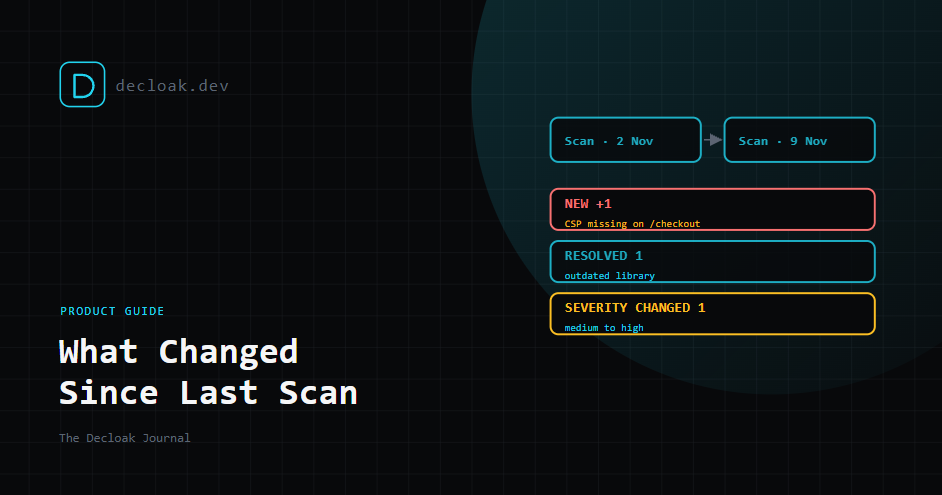
Say you run a weekly scan, and this week's comparison against last week shows three changes:
- New: a Content-Security-Policy header is missing on the checkout page.
- Resolved: an outdated JavaScript library that was flagged last week.
- Severity changed: a server software finding moved from medium to high. That's a ten-minute review. The missing header points straight at Tuesday's checkout release. The resolved library confirms the upgrade your frontend lead mentioned. The severity change, with nothing changed on your side, suggests a new CVE or exploit has been published, so it's the one to look at first.
Without the comparison, all three would be buried somewhere in a full report alongside everything that didn't change.
How it fits with the rest
Comparison reports work well with the automation features. Scheduled scans produce a regular series to compare, and alerts tell you when something new and serious appears between comparisons. On Pro and above, remediation tracking records who is fixing what, so a "Resolved" in the comparison can be matched to the work behind it. We'll cover that workflow in our next guide.
The honest limits
- It compares what we saw, not what exists. Both scans are observations from outside. Anything neither scan reached isn't in the comparison.
- It's one site at a time. Comparisons are between two scans of the same site. Use the scoreboard to compare across domains.
- It doesn't explain why. The comparison tells you a finding is new. Working out which change caused it is still your job, though the finding's location usually narrows it down quickly.
Find out what your last release changed. See Decloak's reporting features →